
I used the Smugmug free trial and I liked it a lot. It definitely dominates flickr. However, flickr is semi-free (but I’m always over my limit before the month is half over!). As much as I’m uploading photos, I can’t wait for flickr to decide to give me more room. Plus, smugmug just looks so much better. It is so much better in my opinion. So…I found a coupon for 20% off the first year!
For 20% off your first year at Smugmug use the coupon code: SmugSavings20
This made the basic package seem more manageable to me!
Now on to the point of this post! Tonight I am working on my editing skills. I am quite often guilty of over editing, or under editing. So I am trying to find my median, and learn more about LR3 in the process.
This was my photo SOOC:
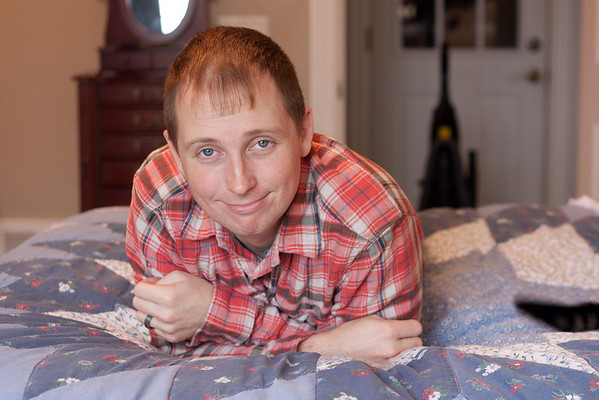
I know what you are thinking…”Yuck, look at that awful Orange cast.” (Making a CWB for every single time I get my camera out is way too time consuming and unrealistic, I’m fine with fixing it in PPing)
So I started editing… A little crop, Fix the WB, get some of that nasty orangey yellow out of the skim, dispose of Smokie so nicely putting in her cat tail, get rid of some of the noise…you get the idea. Oh but then I discovered Iris Enhance… And this was the result:
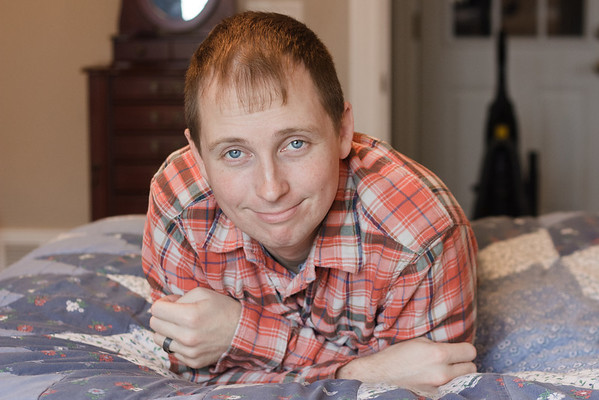
Looks way too fake, but before I could undo it, I discovered the Soften Skin tool. Leading me to…this:
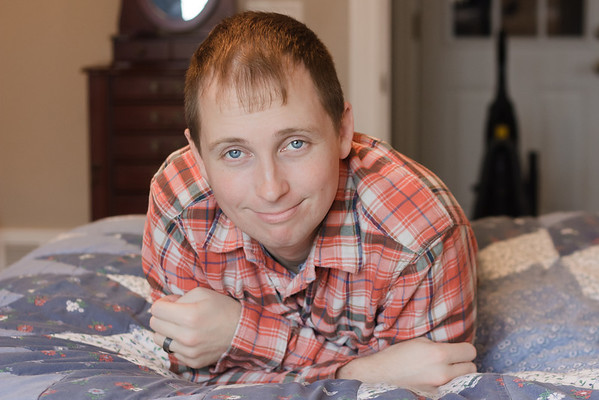
Now while I had fun doing that, it looks absolutely ridiculous. So ridiculous that I just hit the reset button and started all over. I did all same beginning steps, fixing WB and all of that jazz. I still used the Iris Enhance and Soften Skin tools, just in a much milder way. I’m pretty happy with the end result. However I hope that in a few months I look back and think “Wow, I can’t believe I used to think that was pretty good!”


No comments:
Post a Comment